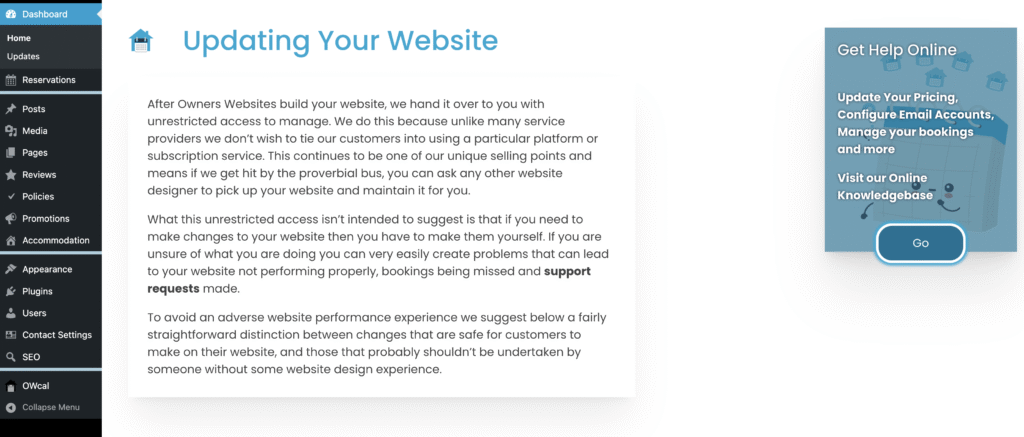
After successfully logging in to your website, you will be presented with your Dashboard which should look similar to the image below
Menu Overview
Running down the sidebar on the left side of your screen you’ll find the following key menus:
- Reservations – this is where you can view and manage your bookings
- Posts – we use Posts to create new activities / things-to-do on your website. If you have a Location page containing places or attractions, this is where you will go to edit these. You may also use Posts if you are maintaining a Blog or News page on your website.
- Media – All your website photos and videos are uploaded here to your Media Library.
- Pages – This is where you will be able to edit your Homepage, your Contact Page, Your Book Online Page, together with any other fixed pages on your website (not Properties – see Accommodation below)
- Reviews – If your website is displaying Guest Reviews, you can edit these here and add new ones.
- Policies – Your Terms and Conditions, and your Privacy Policy can be edited here.
- Accommodation – Your Property Details and Description together with your Maximum Occupancy
- Users – If you wish to add another user to your website you can provide access here
- Contact Settings – Change your displayed contact details
- OWcal – Your website’s booking system. Here you can change your pricing, and booking rules.